
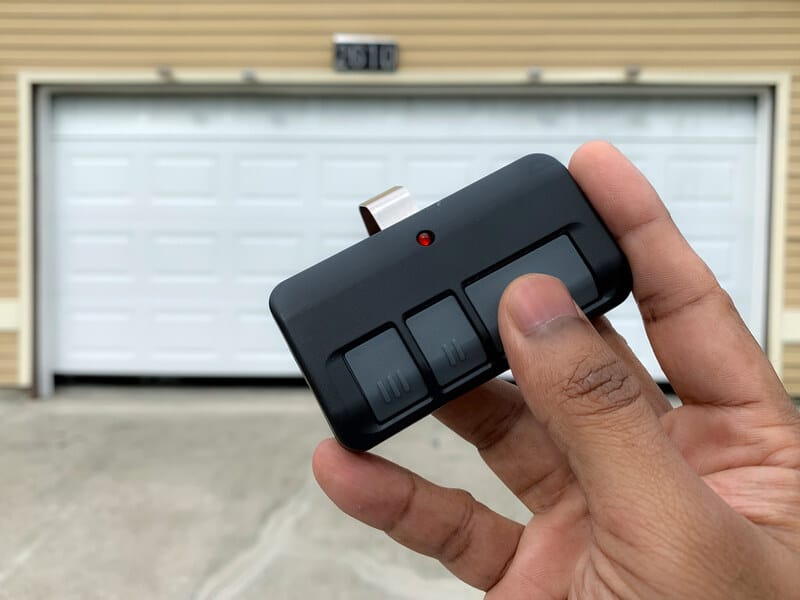

What to Do When Your Garage Door Remote Stops Working
Few things are more frustrating for homeowners than pulling into the driveway, pressing the remote button, and realizing the garage door remote isn’t working. When a garage door remote stops working, it can disrupt your routine and leave you stuck troubleshooting in bad weather. The good news is that most remote problems are caused by simple, fixable issues. Before calling a professional for garage door repair, try these DIY troubleshooting steps to identify the most common causes of the malfunction.
Start With the Most Common Cause: Dead Batteries
The most common reason a garage door remote stops working is a dead or weak battery. Even if the remote control worked recently, garage door remote batteries can lose power quickly. Replace the remote’s batteries with fresh ones, then test the remote from different distances. Weak or depleted batteries can interrupt the remote signal, causing inconsistent performance.
Inspect the Garage Door Remote for Damage
Examine your garage door opener remotes closely for cracks, worn remote buttons, or signs of water exposure. Physical damage is a frequent remote issue, especially if the remote has been dropped or exposed to moisture. If the casing or internal components are compromised, replacing the remote—or switching to a universal remote with proper compatibility—may be the best solution.
Confirm the Opener Unit Has Power
Sometimes the problem isn’t the garage door remote at all. Check the opener unit or motor unit to ensure it’s receiving power. Look for an indicator light on the control panel. A tripped breaker, power outage, or power surge can shut down the system. Try operating the door using the wall control or door control inside the garage. If the wall control works but the remote doesn’t, you’ve narrowed it down to a remote-specific issue.
Reprogram the Remote Control
If power isn’t the issue, your remote may need to be reprogrammed. Over time, garage door opener remotes can lose synchronization with the opener. Locate the learn button on the opener—common on brands like LiftMaster—and follow the reprogramming instructions. This usually involves pressing the learn button, then the remote button, to restore the connection. Reprogramming often resolves common issues related to signal loss.
Check the Lock Button and Keypad
Some opener systems have a lock button on the wall control that disables remotes for security. If activated accidentally, your remote and keypad won’t function. Unlock the system using the control panel and test again. This is an often-overlooked but simple fix.
Look for Signal Interference and Obstructions
Signal interference is another frequent cause of garage door remote problems. LED light bulbs, especially those installed near the opener, can disrupt the remote signal. Other electronics, like Wi-Fi routers, can also interfere. Try removing nearby light bulbs, switching to non-interfering bulbs, or relocating devices. Also, check for physical obstructions blocking the opener antenna.
Inspect the Antenna and Sensors
Ensure the opener antenna or antenna wire is hanging straight down and isn’t damaged. A bent or blocked antenna reduces signal reception. Additionally, check the safety sensors, photo eyes, or door sensor near the bottom of the door. Misalignment or debris can prevent the system from responding, making it appear to malfunction remotely.
When DIY Troubleshooting Isn’t Enough
If you’ve tried all these troubleshooting steps and your garage door remote stops working consistently, the issue may involve the logic board or circuit board inside the opener. These internal components require professional expertise. At that point, it’s best to contact the experienced technicians at Rami Garage Doors Inc. for reliable garage door services.
Professional technicians can diagnose complex garage door opener malfunctions, from receiver failures to sensor issues, and restore safe, reliable operation. Whether it’s a remote replacement or full garage door repair, expert help ensures your system works smoothly and securely.

